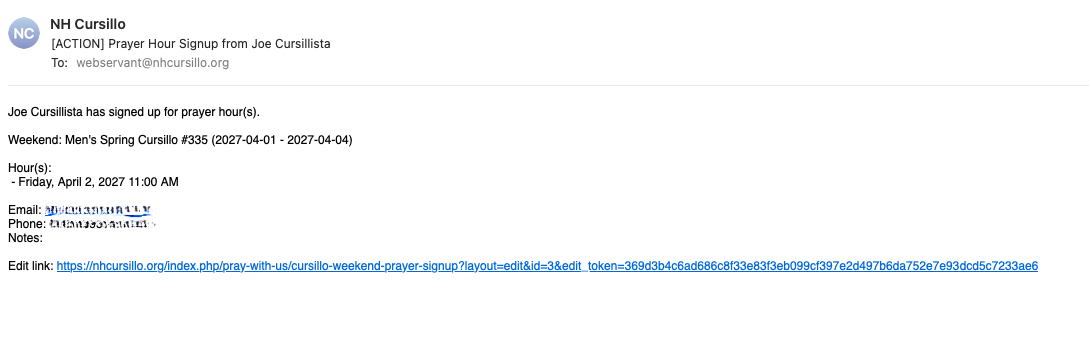
Prayer Hour Signup Guide
Sign up to pray for one or more hours during a Cursillo weekend vigil. No login is required — the process takes just a few minutes.
Select Weekend
→
Choose Slot(s)
→
Submit
→
Confirmation Email
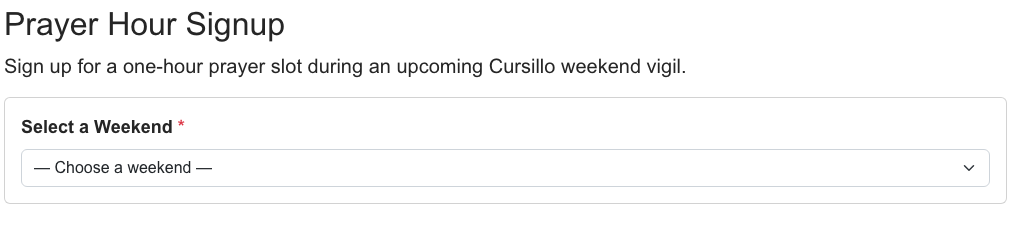
Step 1: Select a Weekend
Navigate to the Prayer Hour Signup page and select an upcoming Cursillo weekend from the dropdown.
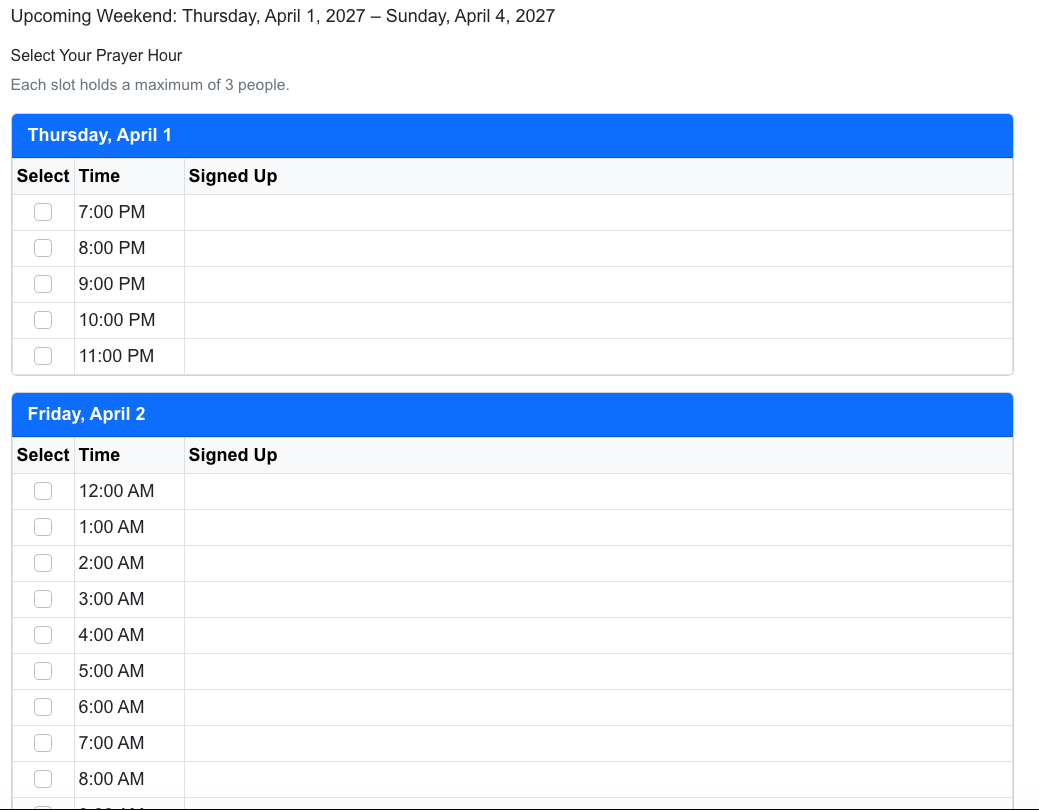
Step 2: Choose Your Prayer Slot(s)
You'll see a grid organized by day, with each row showing a one-hour time slot. For each slot you can see:
- The time of the slot
- Who has already signed up
- Whether the slot is full (each slot has a maximum number of participants)
Check the box next to each hour you'd like to pray. You can select multiple slots.
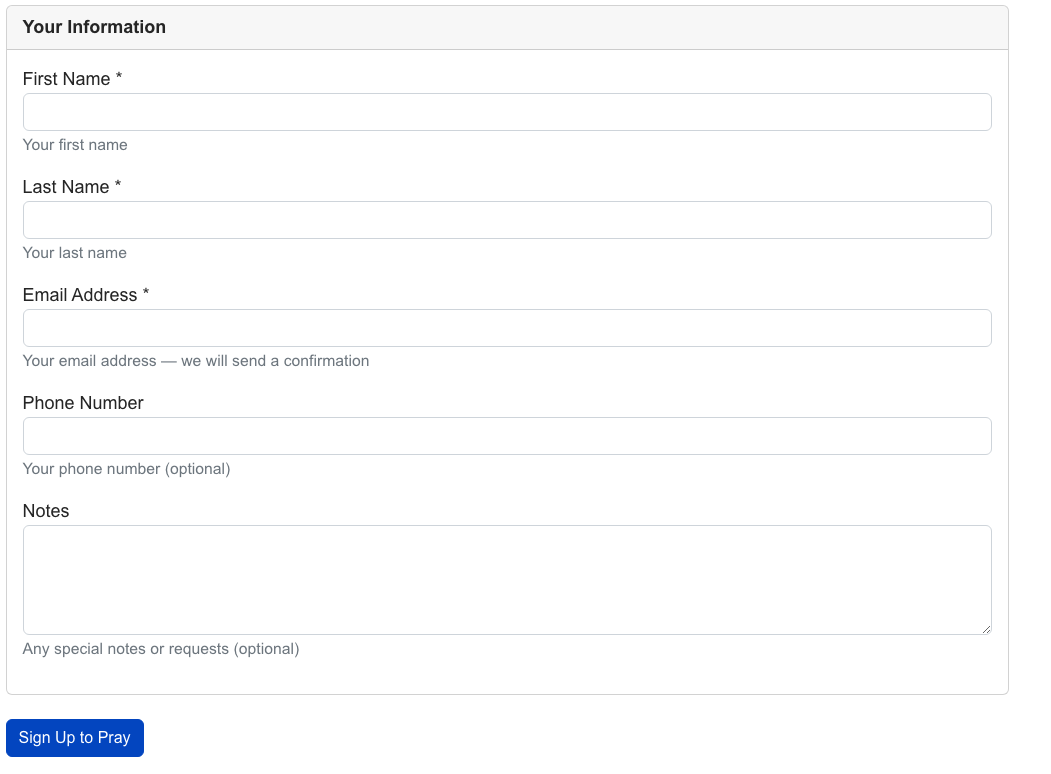
Step 3: Enter Your Information
Below the slot grid, enter your contact information:
- First Name and Last Name (required)
- Email (required — your confirmation and edit link will be sent here)
- Phone (optional)
- Notes (optional — any special requests)
Click Sign Up to Pray to submit.
Step 4: Confirmation
After submitting, you'll receive a confirmation email with:
- The weekend details and your selected prayer hour(s)
- A personal edit link so you can update your signup later
Save your confirmation email!
The personal edit link is the only way to modify your signup without contacting the Secretariat.
Editing Your Signup
Click the edit link from your confirmation email. You'll see the slot grid with your current selections checked. You can:
- Add or remove prayer hour slots
- Update your contact information
Click Save Changes when done.