Palanca Submission Guide
A Palanca is a letter of prayer and spiritual support sent to participants of a Cursillo weekend. This guide shows you how to submit your Palanca online. No login is required.
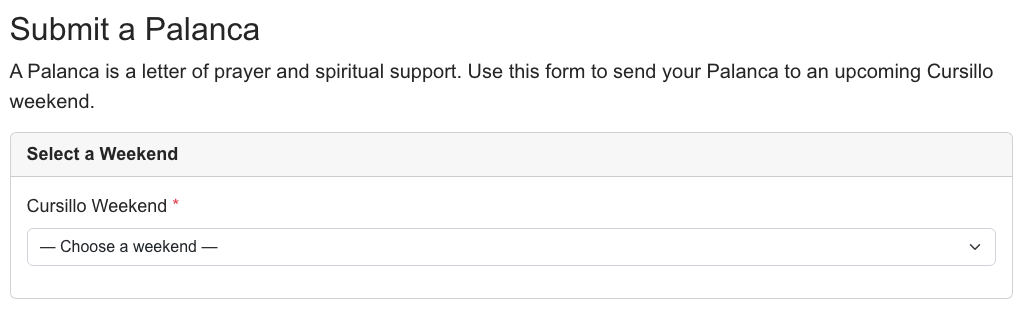
Step 1: Select a Weekend
Navigate to the Palanca submission page and select the Cursillo weekend you'd like to send your Palanca to.
Step 2: Your Information
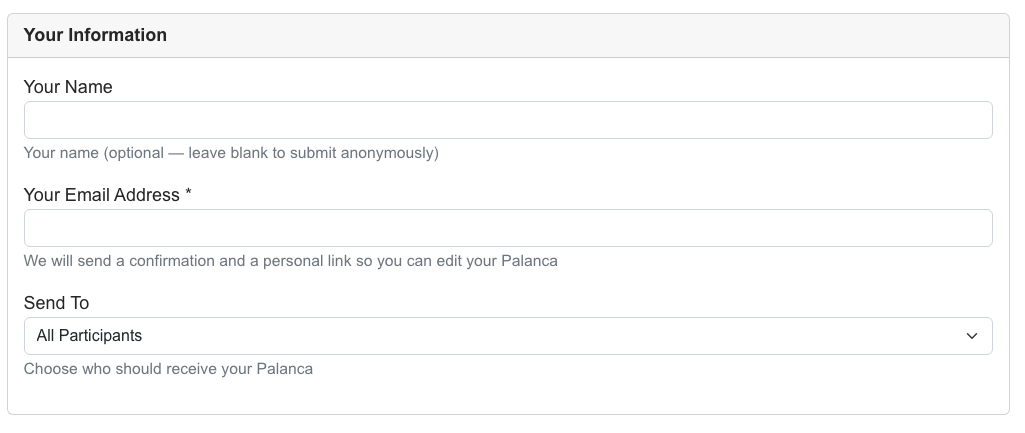
Fill in the sender information:
- Your Name — Leave blank to submit anonymously
- Your Email — A confirmation with a personal edit link will be sent here
- Send To — Choose who should receive your Palanca: All Participants, Team, or Candidates
Step 3: Write Your Message
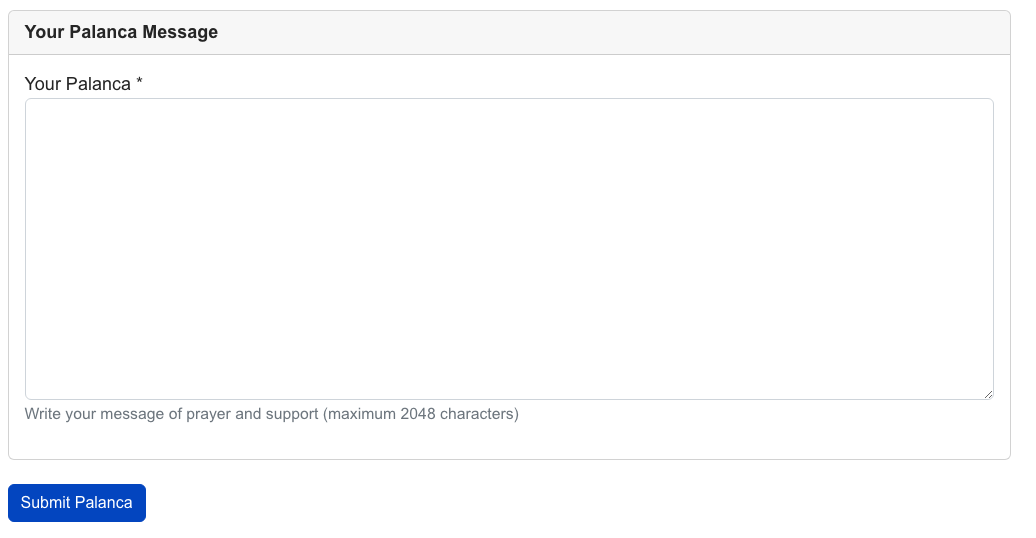
Write your message of prayer and support in the message field. This will be delivered to the weekend participants.
Step 4: Submit
Click Submit Palanca. A thank-you message will appear confirming your submission. You'll also receive a confirmation email with a personal edit link.
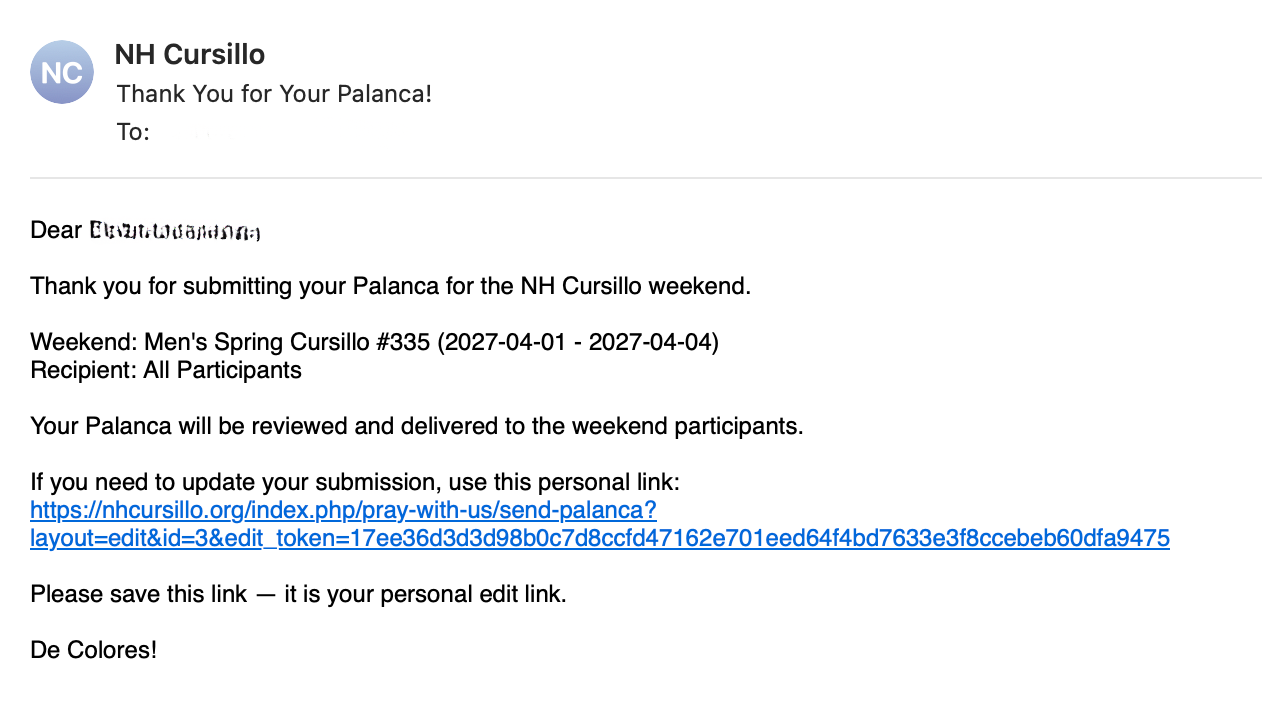
What happens next?
Your Palanca will be reviewed and delivered to the weekend participants. You can update your message at any time using the personal edit link from your confirmation email.
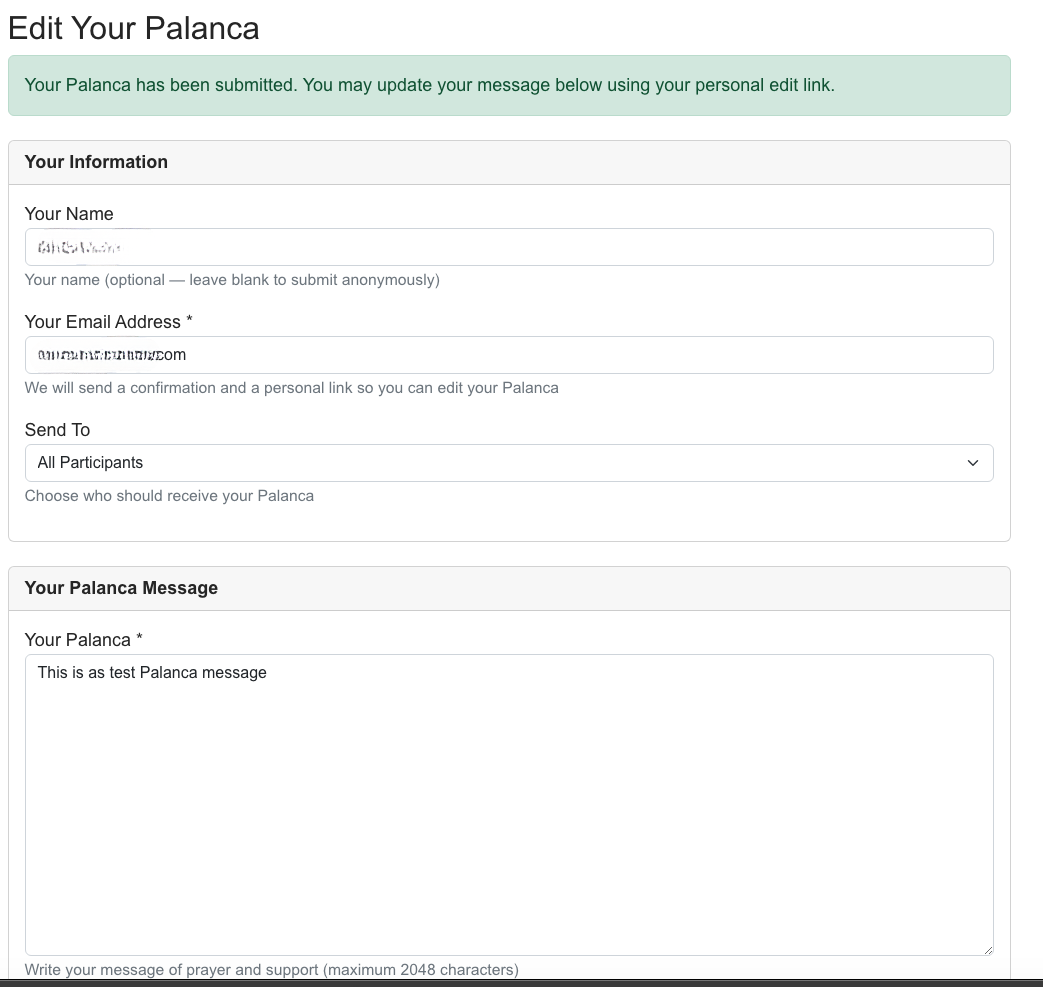
Editing Your Palanca
Click the edit link from your confirmation email to update your message, change the recipient, or update your contact information.