Kitchen Volunteer Signup Guide
Thank you for volunteering to help in the kitchen! This guide shows you how to sign up for meal slots during a Cursillo weekend. No login is required.
Step 1: Select a Weekend
Navigate to the Kitchen Volunteer Signup page. Choose the Cursillo weekend you'd like to help with from the dropdown.

Step 2: View the Schedule
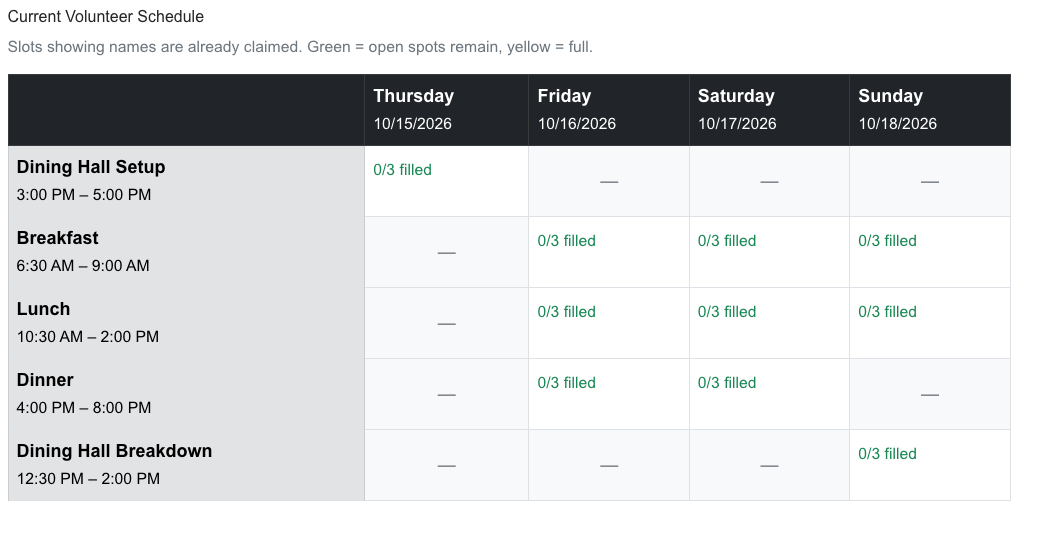
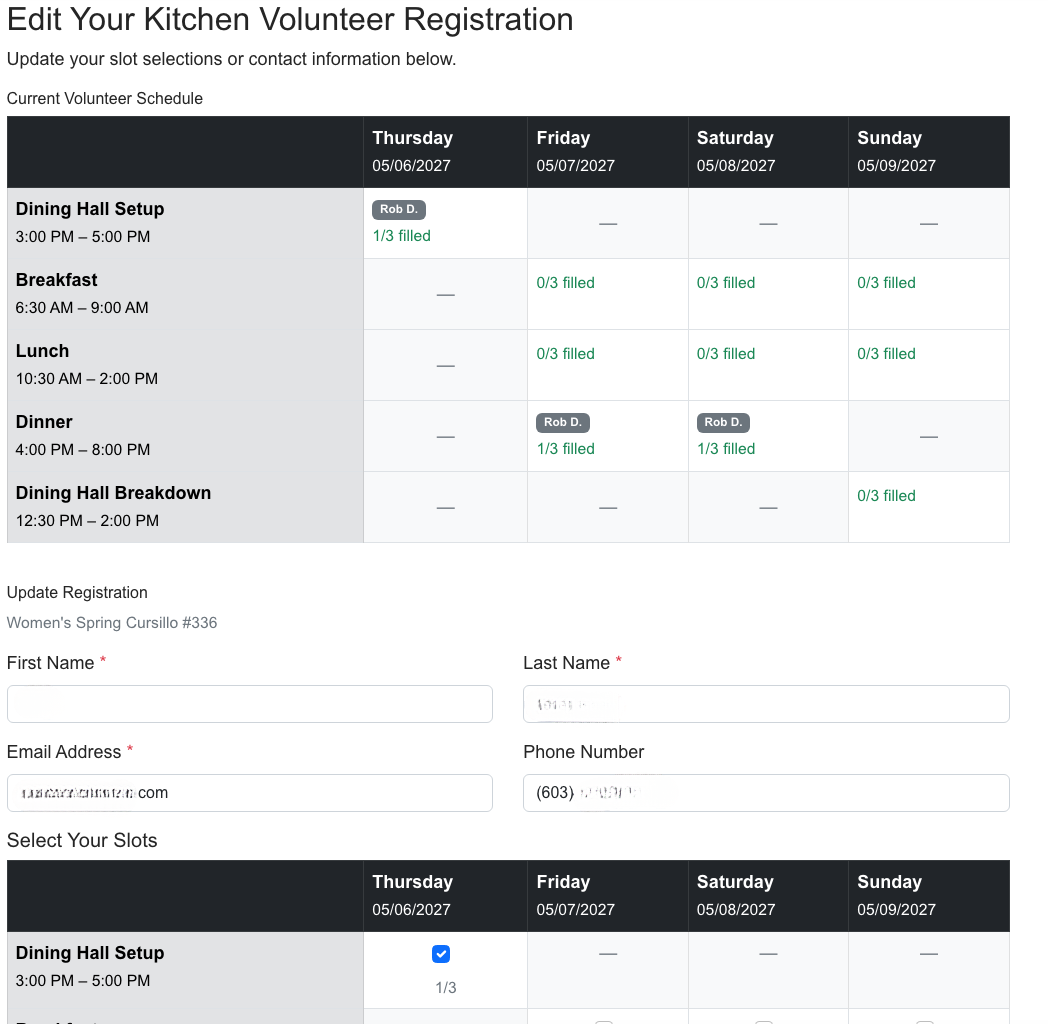
After selecting a weekend, you'll see a schedule grid showing all available meal slots. The grid shows:
- Rows: Dining Hall Setup, Breakfast, Lunch, Dinner, Dining Hall Breakdown
- Columns: Thursday, Friday, Saturday, Sunday
- A dash (—) indicates a slot that doesn't apply (e.g., no Thursday breakfast)
- Each slot shows how many volunteers have signed up and the capacity
- Slots marked Full cannot accept additional volunteers
Step 3: Fill Out the Signup Form
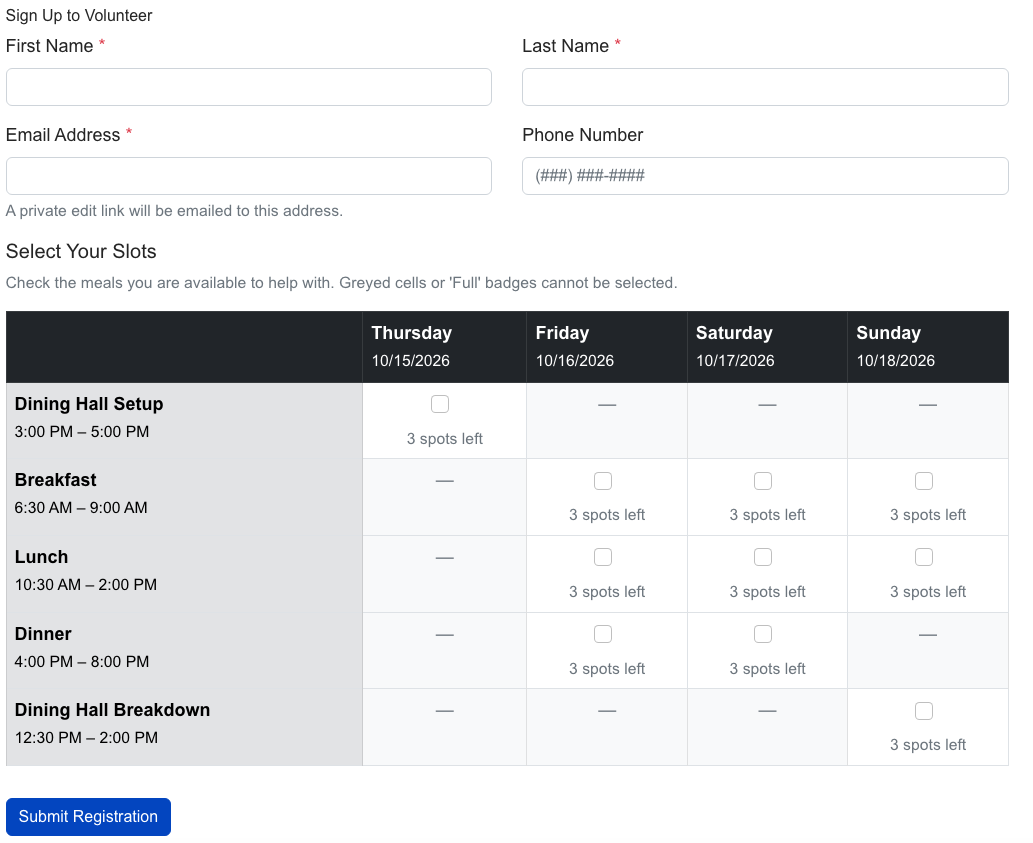
Below the schedule, you'll find the signup form:
- Enter your First Name, Last Name, Email, and Phone
- Check the boxes for the meal slots you'd like to volunteer for
- Click Submit
Step 4: Confirmation
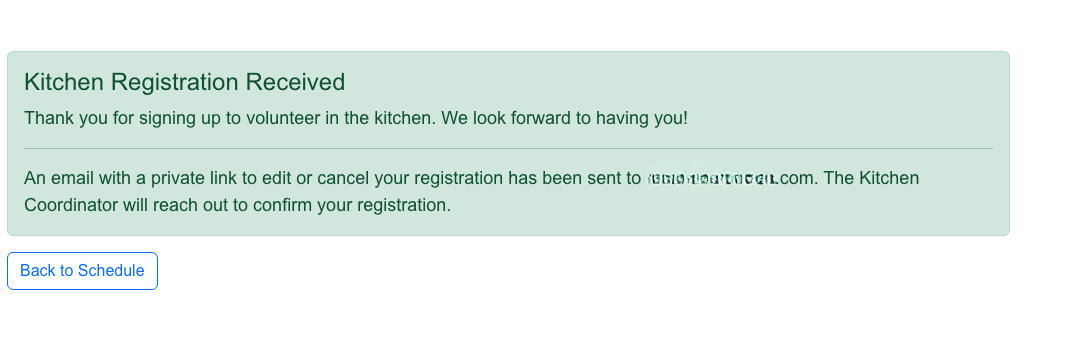
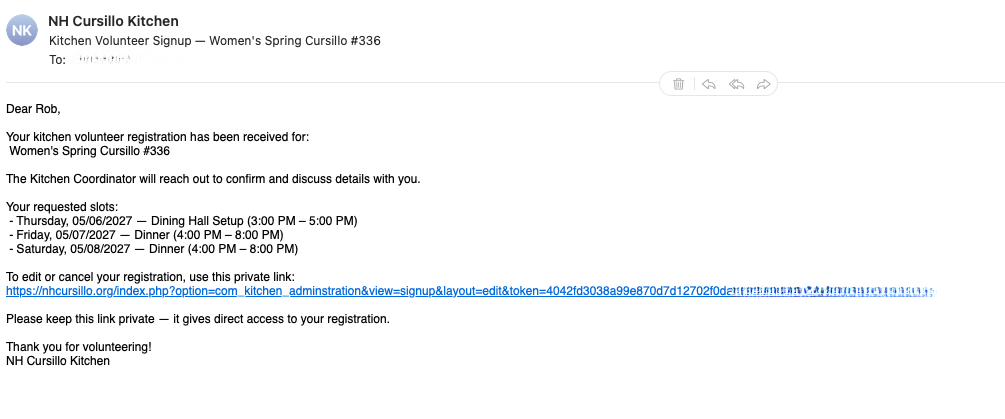
After submitting, you'll see a confirmation page and receive an email with:
- A summary of the slots you signed up for (including dates and times)
- A personal edit link to change or cancel your registration
Editing or Canceling Your Registration
Use the personal link from your confirmation email to return to your registration. From the edit page you can:
- Change your contact information
- Add or remove meal slots
- Cancel your registration entirely
If you cancel, a confirmation email will be sent and your slots will be released for other volunteers.
Common Questions
Do I need to log in?
No. The kitchen signup is fully public.
Can I sign up for multiple meals?
Yes! Check as many slots as you'd like to help with.
What if a slot is full?
Full slots are disabled and marked accordingly. Check back later as slots may open if someone cancels.
How do I edit my signup if I lost the email?
Contact the Kitchen Coordinator or webservant@nhcursillo.org for help.